

← Back to Products
Ubiquiti PoE Smart Chime
Access control

Ubiquiti PoE Smart Chime

★ 4.6Door AccessPrice tier $$

PoE Smart Chime is the version I prefer whenever a site already has structured cabling or a UniFi switch nearby.

Affiliate disclosure: Product links may be affiliate links. If you buy through them, I may earn a commission at no extra cost to you.

Overview

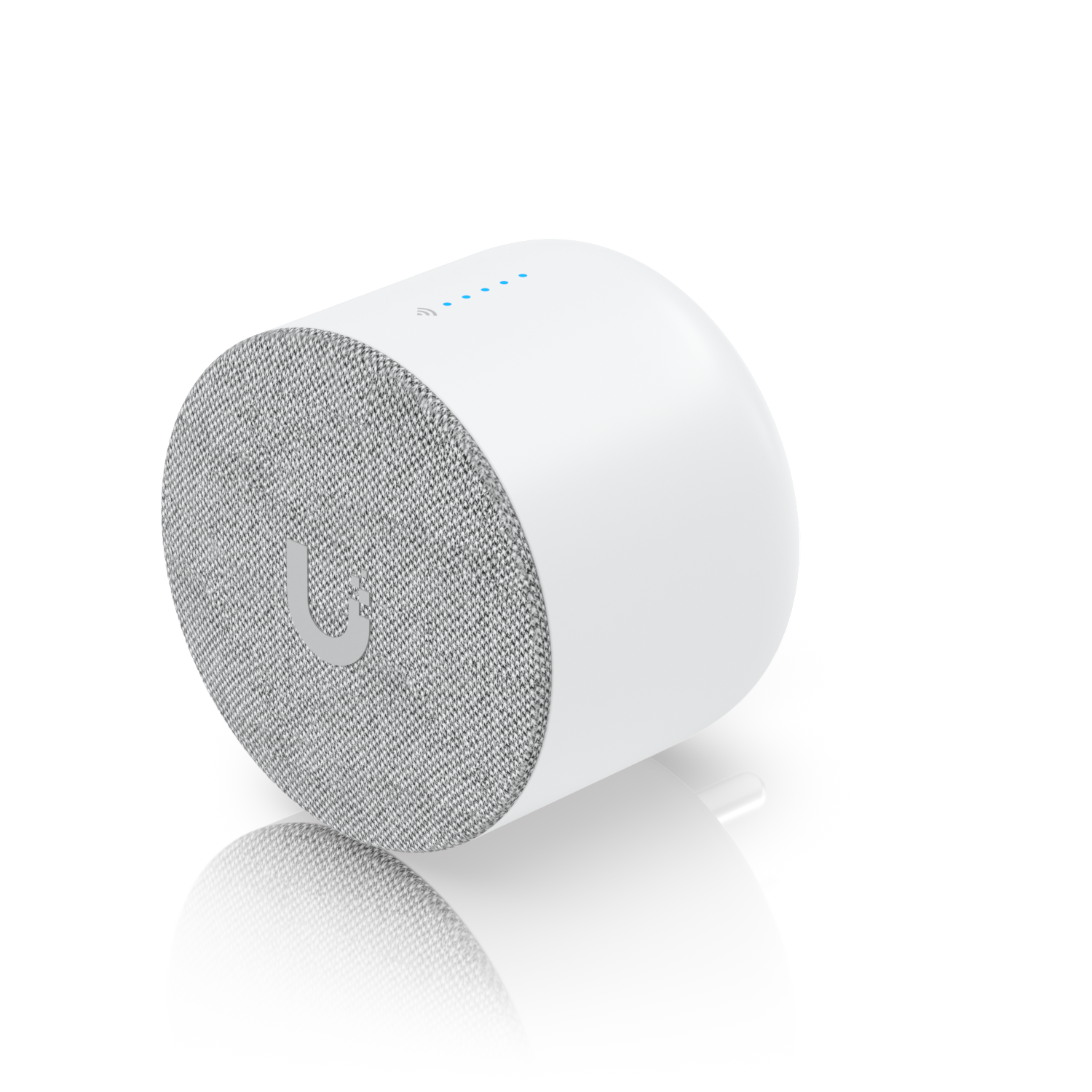
The PoE Smart Chime pairs with the G4 Doorbell Pro to provide an audible alert inside the building when someone presses the doorbell. It connects over your network via PoE rather than to the traditional two-wire doorbell circuit, which means it mounts anywhere a Cat6 cable reaches.

The chime tone and volume are configurable through UniFi Protect, and it can also announce Protect events beyond just doorbell presses.


Why I Recommend It

The G4 Doorbell Pro sends alerts to the UniFi Protect app on your phone, but in a larger building or when you're away from your device, a physical audible chime still has value. The PoE Smart Chime adds that physical alert without relying on battery life or WiFi.

Wireless chimes, including the kind bundled with consumer doorbells, depend on an RF signal that can be blocked by construction materials or interfered with by other devices. A chime that runs over your wired network and PoE doesn't have that problem.

Performance & Reliability

Chime response from doorbell press to audible alert is typically under two seconds. Volume is sufficient for an average-sized residential space. In a large open commercial space you'd want multiple units.

PoE-powered over your wired network makes this one of the simpler devices in the UniFi ecosystem. No battery, no WiFi, no sync issues. It either has a network connection or it doesn't.

Pairing can occasionally need to be re-established after a Protect firmware update. Check functionality after updates rather than assuming it carried through.

Setup & Installation

Adopt the chime in UniFi Protect, link it to the doorbell under the doorbell settings, mount it near a Cat6 drop. The whole process takes about ten minutes once the cable is in place.

Value for the Money

For a professional install, adding a wired chime to a wired doorbell system is the right approach. The PoE Smart Chime completes the G4 Doorbell Pro installation in a way that feels finished.

If your building already has existing wired doorbell chimes on the original two-wire circuit, the G4 Doorbell Pro can be configured to trigger those instead. The PoE Smart Chime is for cases where that existing wiring doesn't exist or doesn't reach the right location.

Technical Specs

Core Details
Cameras Category
Connectivity
PoE, Ethernet, UniFi Access Protocols
Use Case
Businesses and homes that want enterprise-grade physical access control on a UniFi network. Best for
Technical Specs
$79.0 MSRP

Related Videos

Watch setup walkthroughs, product context, and companion guidance.

Browse videos
Configure the Ubiquiti Dream Machine Pro in 10 minutes!
Networking

Configure the Ubiquiti Dream Machine Pro in 10 minutes!

Basic configuration of the UDM Pro. Set up VLANs, wifi networks, and basic security in only 10 minutes.

9:24 1.2K views

Home Assistant Alerts on Fire TV | Never Miss Them Again
Home Assistant

Home Assistant Alerts on Fire TV | Never Miss Them Again

Push on-screen pop-up notifications from Home Assistant directly to your Amazon Fire TV — so motion alerts, doorbell events, and custom automations always get noticed, even mid-binge.

8:27 New

Supercharge your home network with the UDM Pro
Networking

Supercharge your home network with the UDM Pro

Explore the benefits of using the Ubiquiti Unifi Platform in your smart home network and take a look at the initial setup of a Dream Machine Pro.

20:28 2.2K views