
← Back to Products
Ubiquiti G3 Reader Pro
Access control

Ubiquiti G3 Reader Pro

★ 4.8Door AccessPrice tier $$$

G3 Reader Pro is the reader I recommend when the entrance needs to feel more like a managed front door than a simple staff entry point.

Affiliate disclosure: Product links may be affiliate links. If you buy through them, I may earn a commission at no extra cost to you.

Overview

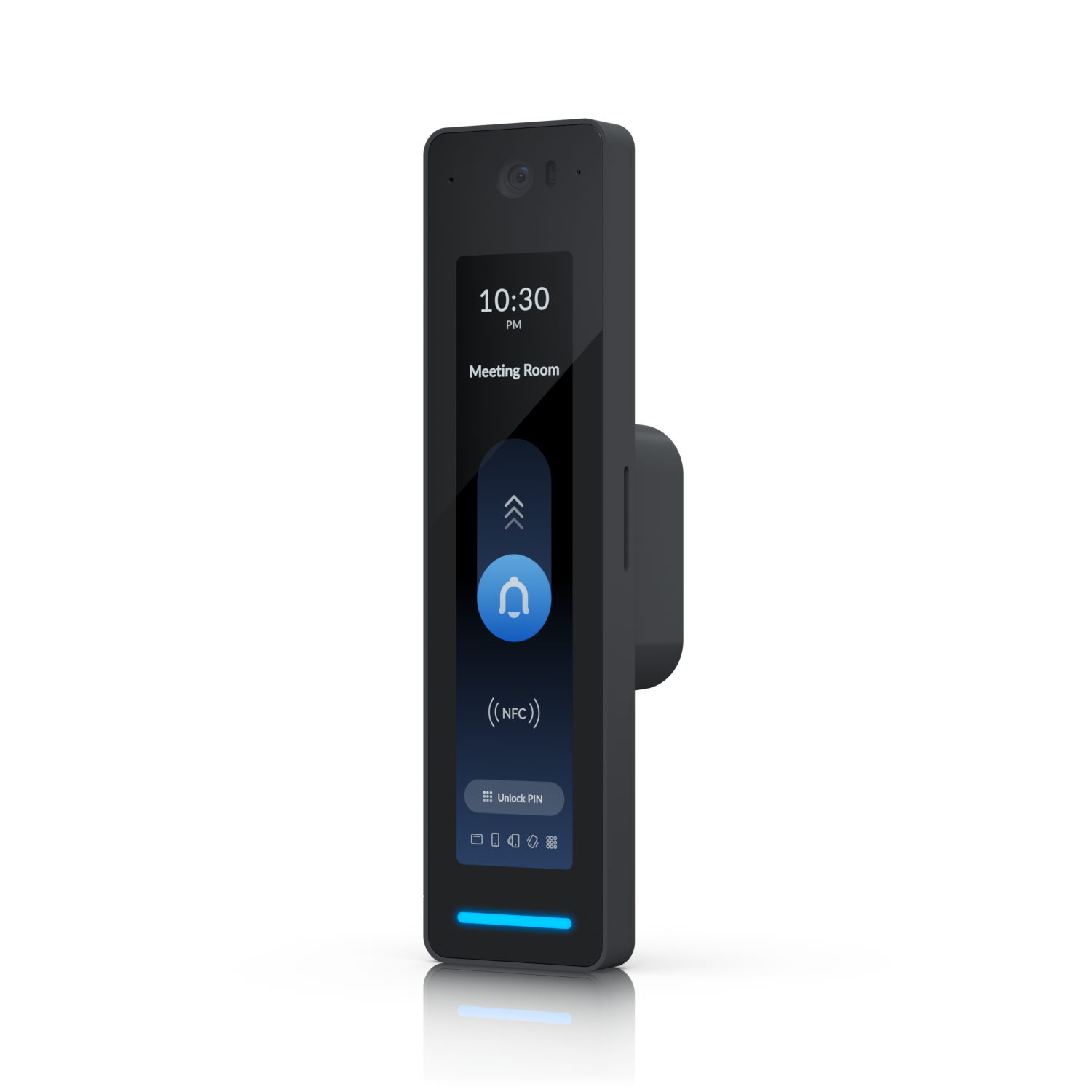
The G3 Reader Pro combines a camera with an NFC and RFID reader in a surface-mount form factor designed for reception areas and front desks. It's the previous generation of camera-reader combo hardware, positioned as the premium-finish entry option before the G6 Pro Entry was introduced.

It's still relevant in current installations for its specific aesthetic, which suits reception desk mounting better than the flush-wall style of the G6 series.

Why I Recommend It

The G6 Pro Entry mounts to a standard electrical box on a wall. The G3 Reader Pro is designed to sit on a surface like a reception desk or counter edge and be seen face-on by visitors rather than mounted at door-frame height. That's a different physical deployment scenario, not just a different generation.

For a manned reception desk where visitors are greeted by staff, this device at desk level reads more naturally than a wall-mounted reader. The camera can see visitor faces at a natural angle rather than looking down from door frame height.

Performance & Reliability

Camera quality reflects its G3 generation age. Adequate for identification in well-lit reception environments. NFC and RFID reading is reliable. The older image sensor is a meaningful step below G6 hardware in low light.

G3 hardware has a long track record in real installations. The hardware itself is proven. The main consideration is that it's an older generation and eventual end-of-support from Ubiquiti is a longer-term planning concern.

Surface-mounted deployment means it's more exposed to accidental contact than wall-mounted hardware. The build quality handles this, but consider the physical environment.

Setup & Installation

Connects to a Door Hub or Gate Hub over the standard reader interface. No special configuration beyond standard UniFi Access reader setup. The desk mount orientation versus wall mount orientation is a physical positioning decision handled by the supplied bracket.

Value for the Money

As an older generation device, pricing may be more favorable than the G6 series depending on availability. For reception desk deployments specifically, the form factor advantage is real and justifies selecting it over the G6 Entry even if the camera spec is lower.

For a pure access control reader without camera requirements, the Reader Flex is cheaper and newer. The G3 Reader Pro makes sense specifically where the counter-mount camera angle is the requirement.

Technical Specs

Core Details
Cameras Category
Connectivity
PoE, Ethernet, UniFi Access Protocols
Use Case
Businesses and homes that want enterprise-grade physical access control on a UniFi network. Best for
Technical Specs
$379.0 MSRP

Related Videos

Watch setup walkthroughs, product context, and companion guidance.

Browse videos
Configure the Ubiquiti Dream Machine Pro in 10 minutes!
Networking

Configure the Ubiquiti Dream Machine Pro in 10 minutes!

Basic configuration of the UDM Pro. Set up VLANs, wifi networks, and basic security in only 10 minutes.

9:24 1.2K views

Home Assistant Alerts on Fire TV | Never Miss Them Again
Home Assistant

Home Assistant Alerts on Fire TV | Never Miss Them Again

Push on-screen pop-up notifications from Home Assistant directly to your Amazon Fire TV — so motion alerts, doorbell events, and custom automations always get noticed, even mid-binge.

8:27 New

Supercharge your home network with the UDM Pro
Networking

Supercharge your home network with the UDM Pro

Explore the benefits of using the Ubiquiti Unifi Platform in your smart home network and take a look at the initial setup of a Dream Machine Pro.

20:28 2.2K views