
← Back to Products
Ubiquiti AI Port
UniFi Protect

Ubiquiti AI Port

★ 4.6Door AccessPrice tier $$$

If you want smarter alerts without rebuilding an entire camera estate, the AI Port makes a very strong case.

Affiliate disclosure: Product links may be affiliate links. If you buy through them, I may earn a commission at no extra cost to you.

Overview

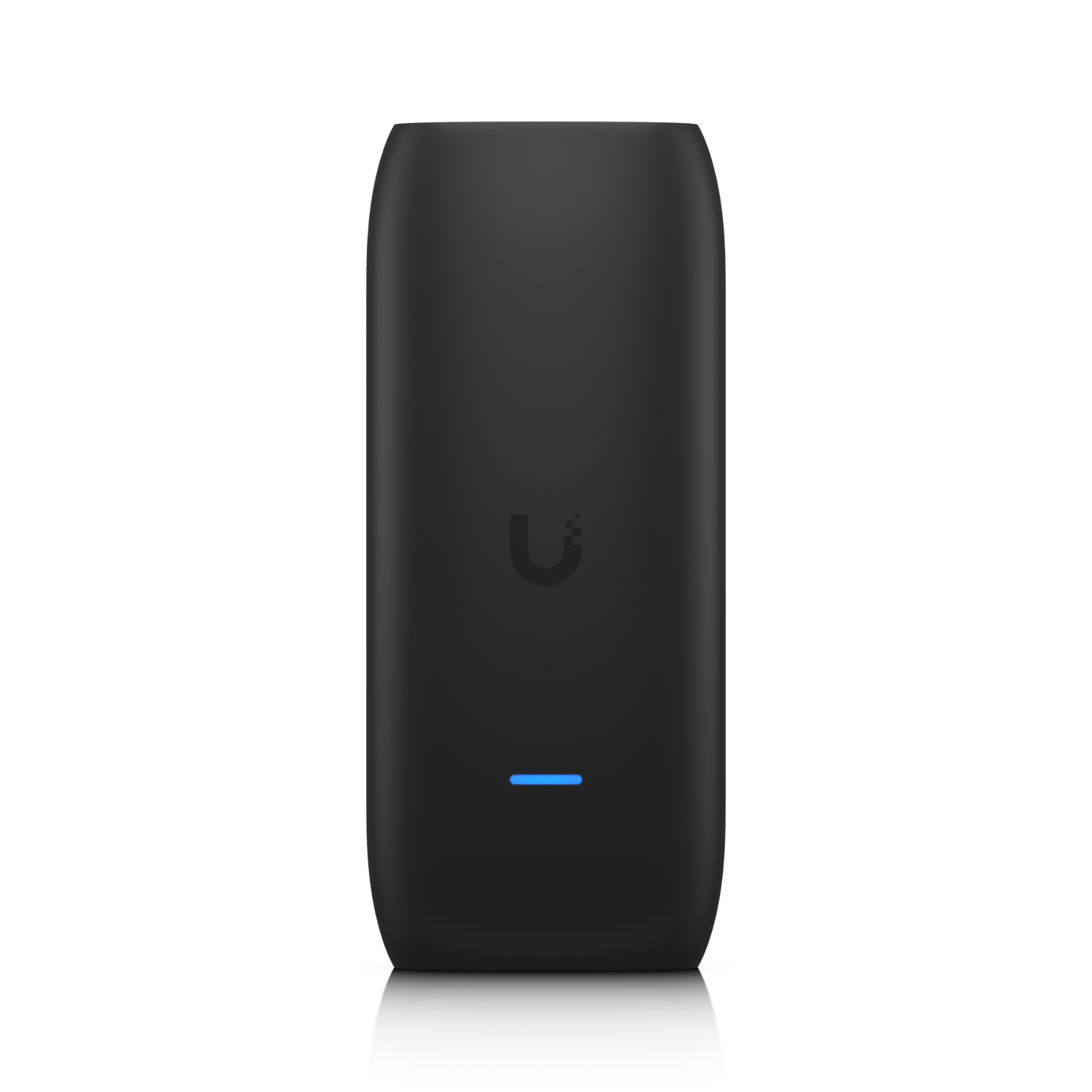
The AI Port is a PoE-powered device that attaches to a camera or a group of cameras and provides local AI detection processing for that zone. Unlike the AI Key which upgrades a host device internally, the AI Port operates independently at the camera level.

It enables person, vehicle, and animal detection on cameras that don't have AI processing built in, without requiring those cameras to send video to a central NVR for analysis.

Why I Recommend It

Processing AI detection at the edge, close to the cameras, reduces the bandwidth and processing load on the central NVR. In large deployments where bandwidth between cameras and the NVR is a constraint, edge AI processing with the AI Port reduces what gets sent upstream.

The AI Port handles detection independently of what's happening on the central NVR, so detection events don't queue behind each other during busy periods the way they can when everything routes through a central processor.

Performance & Reliability

Detection latency is low because processing happens at the camera zone level rather than after video travels to a central device. In practice this means detection events appear in Protect faster, which matters for real-time alert use cases.

An additional networked device introduces an additional potential failure point. If the AI Port loses connectivity, camera detection falls back to whatever the NVR can handle on its own.

PoE power from a stable switch source makes the AI Port reliable once installed. Network instability is the most common source of issues in the field.

Setup & Installation

Connect via PoE to the network, associate with a camera group in UniFi Protect, and detection processing shifts to the AI Port for those cameras. Network adoption through Protect follows the standard UniFi device process.

Value for the Money

For large camera deployments where the central NVR's AI processing is a bottleneck, the AI Port distributed the workload at a reasonable per-zone cost.

For small deployments with five to ten cameras on a capable NVR, central processing is unlikely to be a bottleneck. The AI Port's value is proportional to the scale of the installation.

Technical Specs

Core Details
Cameras Category
Connectivity
Ethernet, UniFi Protect Protocols
Use Case
UniFi Protect users who want reliable AI-powered security cameras. Best for
Technical Specs
$199.0 MSRP

Related Videos

Watch setup walkthroughs, product context, and companion guidance.

Browse videos
Home Assistant Alerts on Fire TV | Never Miss Them Again
Home Assistant

Home Assistant Alerts on Fire TV | Never Miss Them Again

Push on-screen pop-up notifications from Home Assistant directly to your Amazon Fire TV — so motion alerts, doorbell events, and custom automations always get noticed, even mid-binge.

8:27 New

Can this tiny sensor make your home smarter?
Reviews

Can this tiny sensor make your home smarter?

Installation and review of one of the best Smart Sensors - the Aqara P2 Door and Window Sensor.

9:59 302 views

Design the Ultimate Smart Home from Scratch! Part 6 - Security
Design

Design the Ultimate Smart Home from Scratch! Part 6 - Security

Part 6 of Designing the Ultimate Smart Home series. Discussion of cameras, sensors, and other security measures to protect your smart home.

5:38 448 views